

If you run a small store or manage marketing on a shoestring budget, you've probably hit the same wall: you need ad creatives that look professional, but a designer or agency quotes more than your whole monthly ad spend. So you either ship a phone photo on a busy background that gets scrolled past, or you don't run the ad at all. The belief underneath that wall — professional ad creative means hiring a professional — is the thing this guide takes apart. Learning how to create AI ad creatives without a designer isn't about a magic button that spits out a finished campaign. It's about a repeatable workflow: start from one decent product visual, generate a clean set of variations across every platform format, keep them all on-brand, and let real performance tell you which ones to scale.
The good news is that the tools to do this are genuinely accessible now. A non-designer with a single product photo and an hour can produce a feed post, a vertical story, and a banner that look like they came from the same campaign — because they did. The catch is that "AI ad creative generator" tools will happily produce ten random, off-brand, slightly-wrong images if you point them at nothing in particular. The difference between noise and a real ad set is the workflow. That's what we're building here, step by step, from one product photo to a tested, scalable campaign.
Why small businesses struggle with ad creatives
Before the workflow, it helps to name the actual problem, because most "just use AI" advice skips it. Small businesses don't struggle with ad creatives because they lack ideas. They struggle for three structural reasons.
The cost gap. A freelance designer might charge a few hundred dollars for a single campaign's worth of creative, and an agency far more. For a business spending a few hundred dollars a month on ads total, that math never works. So creative becomes the thing you skip — you boost a post with whatever photo you have and hope.
The volume problem. Modern ad platforms reward testing. Meta and Google's algorithms perform best when you feed them several creative variations and let the system find the winner. But "several variations" is exactly what a non-designer can't produce by hand. Making five versions of an ad in five formats is fifty pieces of artwork — a full day of fiddling in tools you don't know. So small advertisers run one creative, the algorithm has nothing to optimize, and performance stalls.
The format multiplier. A single campaign doesn't need one image. It needs a square for the feed, a vertical for stories and Reels, sometimes a horizontal banner for display. Each one needs the product framed differently with room for text in the right place. Manually rebuilding the same creative three times in three aspect ratios is tedious work that has nothing to do with running your business — and it's the step that quietly kills most DIY campaigns.
AI changes the economics of all three. The cost gap shrinks because you're not paying per asset. The volume problem dissolves because generating the fourth variation costs almost nothing once you have the first. And the format multiplier becomes a setting rather than a redo. But — and this is the part the breathless headlines skip — only if you work systematically. Random generation gives you random results. So let's build the system.
Start with a strong product visual
Every good ad creative starts from a strong base image, and this is the step people rush. AI is excellent at transforming a clear product visual; it's much worse at inventing a clean one from a cluttered, badly-lit snapshot. Garbage in, garbage out still applies. So the first move is to get one solid hero image of your product, then build everything from it.
You don't need a studio. A product shot taken on a phone in decent daylight is plenty — as long as the product is in focus and reasonably well exposed. The background, the clutter, the boring tabletop: none of that matters, because the next step removes it.
Clean the background first. Take your phone photo and strip out whatever's behind the product — the messy desk, the radiator, the cat. Background removal isolates the product cleanly so you can drop it onto anything: a pure white field for a marketplace-style ad, a brand-colored panel, or a generated scene. If you've never done this, the AI product background removal and replacement guide walks through it in detail. The point for ads is simple: a clean cutout is the raw material every variation is built on, so get it right once.
Then build the scene. A product on plain white is fine for some ads, but the creatives that stop the scroll usually show the product in context — the candle lit on a styled shelf, the skincare bottle on a sunlit bathroom counter, the sneaker on a city curb. This is where image-to-image (i2i) generation earns its keep: you feed in your clean product shot as a reference, describe the scene around it, and the model places your actual product into a lifestyle setting while keeping its shape, color, and label intact. You can try this directly in the Oxava studio — upload the cutout, write the scene, and generate a handful of options to pick from. For the deeper craft of believable lifestyle scenes (props, lighting, making the product sit in the scene rather than pasted on top), the AI lifestyle images for ecommerce guide is the companion read.
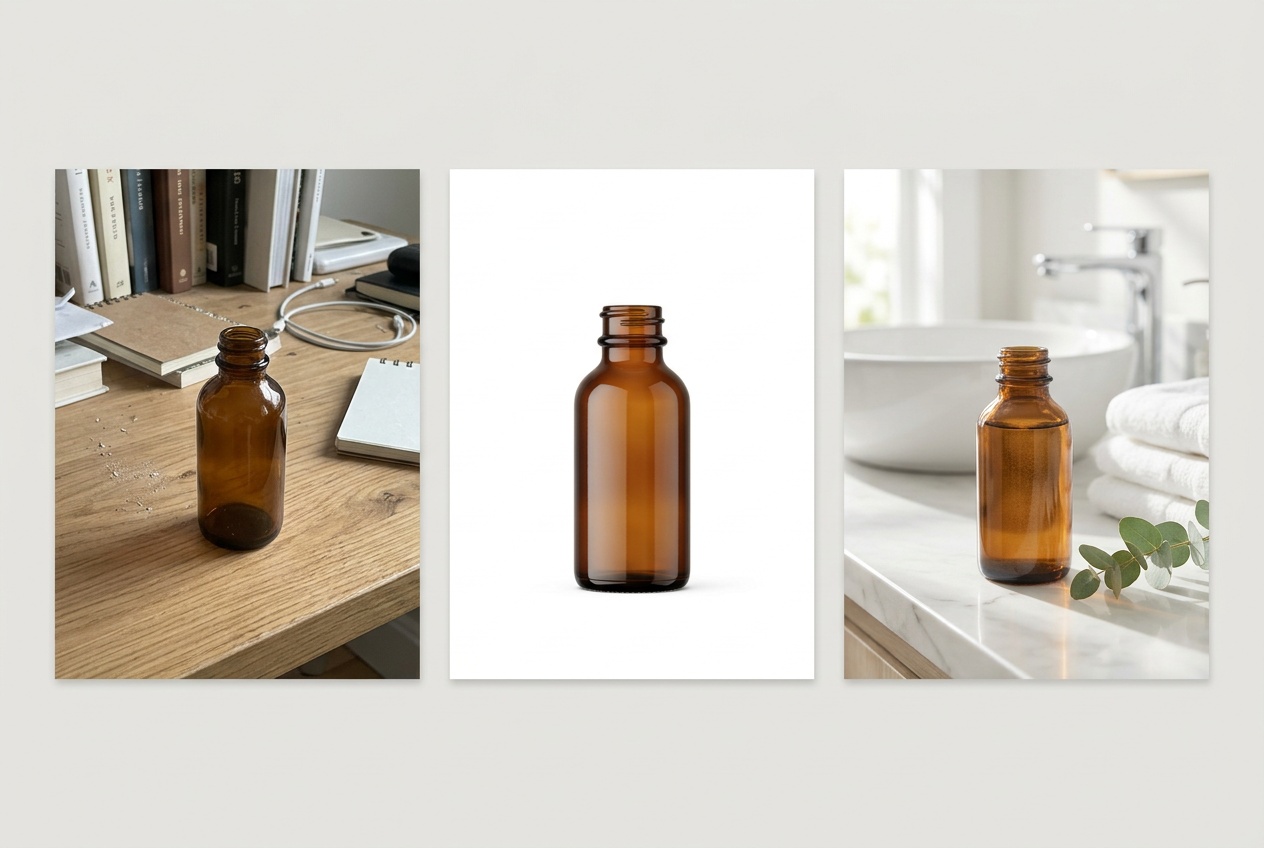
The reason this base matters so much is leverage. Spend twenty minutes getting one genuinely strong hero visual, and every format, every variation, every future campaign inherits that quality for free. Skip it, and you're amplifying a weak image across a dozen placements. Get the base right, and the rest of the workflow is mostly settings.
Generate AI ad creative variations across formats
Here's where AI quietly does the work that used to eat a designer's afternoon. A single campaign needs the same creative in several shapes, and each shape has different rules for where the product sits and where the text goes:
| Placement | Aspect ratio | Orientation | What it's for |
|---|---|---|---|
| Feed post (Instagram, Facebook) | 1:1 | Square | The default in-feed creative; balanced, product-centered |
| Story / Reels / TikTok | 9:16 | Vertical | Full-screen mobile; product framed with room for top/bottom UI |
| Display / banner | 16:9 (and 1.91:1) | Horizontal | Web banners, YouTube, Google Display; wide with space for a headline |
| Marketplace / catalog | 1:1 or 4:5 | Square / tall | Clean product focus for Shopping and catalog ads |
A designer rebuilds the layout for each of these by hand. With AI, the aspect ratio is a setting on the generation, and the model recomposes the scene to fit — extending the background, repositioning the product, leaving negative space where the text needs to land. So the move is: take your strong base scene, then regenerate it at 1:1, 9:16, and 16:9, guiding each with a short note about composition.
A few practical notes that separate clean format variations from awkward ones:
- Tell the model where the text goes. Ad creatives almost always carry a headline or offer. Generate the image with deliberate empty space — "leave the upper third clean for a headline," "product positioned to the right with open space on the left." Then you add the actual text on top afterward. Letting AI render the headline as part of the image is a trap: text inside AI images is famously unreliable, and baked-in text can't be edited or localized. Keep the words as a separate layer.
- Respect the safe zones. Stories and Reels cover the top and bottom of the frame with profile info and buttons. When you generate 9:16, keep the product and any important detail in the central band so the platform's UI doesn't crop it.
- Match the energy across shapes. The square and the vertical should feel like the same ad in different clothes — same product angle, same lighting, same palette — not three unrelated images. The way to guarantee that is the brand system in the next section.
You can run all of this in one place: generate the base scene in the Oxava studio, then switch the aspect ratio and regenerate to get the feed, story, and banner versions of the same creative. Because the studio offers several models (FLUX, Ideogram V4, Recraft V3 and V4.1 Pro, GPT Image, Reve), it's worth a note on which to reach for — Ideogram and Recraft tend to handle clean, layout-aware, text-friendly compositions well, which is exactly what ad creatives need. If a prompt isn't landing, the AI Enhance feature can expand a rough description into a fuller one, and the guide to writing AI image prompts is the deeper reference for getting the scene description right the first time.
Keep brand consistency across campaigns
Generating ten ad variations is easy. Generating ten that look like the same brand is the part that separates a real campaign from a pile of AI images. When your feed post is warm and filmic but your story is cold and over-saturated and your banner has a teal cast nobody asked for, shoppers don't consciously notice — they just feel that something's off, and "off" doesn't convert.
The fix is to stop describing your look from scratch every time and instead lock it into a reusable brand style block — a fixed chunk of prompt text capturing your lighting, palette, mood, and finish that you paste into every generation. You change only the subject and scene; the brand DNA stays word-for-word identical. So a candle ad and a diffuser ad share the same "soft natural side light, muted sage and cream palette, low saturation, calm premium editorial mood" — and come out looking like siblings instead of strangers.
This is the single highest-leverage habit in the whole workflow, and it's worth doing properly. Our complete AI brand visual consistency guide is the deep dive — how to build a reference set, write the fixed style block, anchor it with reference images and seeds, and review outputs against a checklist. For ad creatives specifically, three things matter most:
- Color. Write your brand colors into the style block explicitly — not "blue" but the actual feel of your blue, and ideally backed by a reference image of your brand palette. Color drift is the fastest way ads start looking off-brand.
- Tone and lighting. Decide once whether your brand is bright and airy or moody and editorial, and bake that into the fixed block. Every ad should be lit the same way.
- Templating. Keep the variable half of your prompt (the subject and scene) separate from the fixed half (the brand block). When you launch a new product, you swap only the subject and inherit a perfectly on-brand creative automatically.
A reliable way to lock consistency even harder is to feed the model a reference image alongside your prompt — your best on-brand creative as a style anchor — so each new ad carries the same visual character. Between a fixed style block and a style reference, your fifth campaign looks like it belongs to the same brand as your first, which is exactly what builds the recognition that makes ads cheaper over time.
Test, iterate, and scale winners
Here's the mindset shift that makes AI ad creatives genuinely powerful: you're not trying to produce one perfect ad. You're trying to produce a handful of good variations, ship them all, and let the platform's algorithm find the winner. This is precisely the workflow that used to be impossible without a design team — and it's the one AI unlocks for everyone.
The logic is straightforward. Meta and Google both reward giving the algorithm options: a few creatives competing in the same ad set lets the system allocate budget to whatever actually performs. With AI, generating those variations is nearly free, so there's no reason to run a single creative ever again. Build a small test matrix by varying one thing at a time:
- Scene / setting. Same product, different backdrop — the candle on a shelf vs. on a bathroom counter vs. styled with coffee. Which context resonates?
- Angle / framing. Tight hero close-up vs. wider lifestyle shot with the product in context.
- Hook emphasis. Same image, different headline overlay — lead with the offer vs. lead with the benefit vs. lead with social proof.
- Mood. A bright, energetic version vs. a calm, premium version of the same product.
Ship three to five of these into one ad set, give them enough budget and time to gather real data, and read the results. Then comes the part most people miss: feed the performance back into your prompts. This is the flywheel. If lifestyle scenes beat plain-white shots, your next round leans into lifestyle. If the warm version wins, your brand style block warms up. If close-ups outperform wide shots, you frame tighter. Each campaign teaches you something concrete about what your audience responds to, and because you're generating with prompts, you can encode that lesson directly into the next batch.
When a creative wins, scale it deliberately. Generate fresh variations around the winner — keep what worked (the scene, the mood, the framing) and vary only the small stuff — so you refresh the ad before it fatigues without throwing away what made it work. This is "creative refresh" the way big advertisers do it, except you're doing it solo in an afternoon. You can spin up the next round of variations in the Oxava studio in minutes, which means your creative testing never stalls waiting on a designer's queue.
One honest caveat on scaling: AI lowers the cost of making creatives, not the cost of media. Don't mistake a flood of variations for a strategy. Three sharp, on-brand, genuinely different concepts beat thirty near-identical ones every time. Use the speed to test real ideas, not to drown your account in noise.
Frequently Asked Questions
Do I really need zero design skill to do this?
You need taste, not technical design skill. You won't be operating layers in design software, but you'll still make judgment calls: which scene looks more premium, whether the colors feel on-brand, where the headline should sit. The workflow removes the production barrier — the hours of manual artwork — while leaving the editorial decisions, which any business owner who knows their brand can make. If you can tell when an image looks "right" for your business, you have enough.
How many ad variations should I actually create?
For a single test, three to five distinct variations in each format is the sweet spot — enough for the algorithm to optimize, not so many that your budget spreads too thin to gather meaningful data per creative. The key word is distinct: five genuinely different concepts (different scenes, angles, or hooks) teach you far more than five near-identical tweaks. Once you find a winner, generate the next round around it rather than starting from scratch.
Can I use AI-generated images in Meta and Google ads?
Generally yes — AI-generated visuals are widely used in ad campaigns on both platforms. But "generally yes" comes with real responsibilities that are yours, not the tool's. You must hold the rights to use the imagery, avoid misleading claims (don't generate a product feature that doesn't exist), respect any disclosure rules in your region, and follow each platform's advertising policies, which evolve. Treat AI as a faster way to produce creatives you'd be allowed to make anyway — not a loophole around the rules. When in doubt, check the current Meta and Google ad policies directly.
What's the difference between an AI ad creative generator and just using an image model?
Many "AI ad creative generator" tools bundle templates, copy suggestions, and auto-resizing into one button. That's convenient, but it often trades away control — you get on-template results that look like everyone else's. Working from a strong base image in a flexible image studio, with your own brand style block and reference images, gives you ads that actually look like your brand. The workflow in this guide is the control-first approach: a bit more deliberate, considerably more distinctive.
How do I add text and my logo to the ad?
Add them as a separate layer after generating the image, never as part of the AI generation. Generate the visual with intentional empty space where the headline and logo should go, then place the actual text and logo on top using any basic layout tool. This keeps your copy crisp, editable, and easy to localize — and avoids the garbled lettering that AI image models still tend to produce when asked to render words inside the picture.
Start creating your first ad set
Creating professional ad creatives without a designer comes down to a workflow you can repeat for every campaign: start from one strong product visual, clean its background and build a scene, regenerate it across feed, story, and banner formats, lock a brand style block so everything stays consistent, then ship a handful of variations and scale the winners. None of those steps requires design software or an agency invoice — they require a clear product photo, a little taste, and a tool that does the production for you.
The fastest way to internalize all of this is to run one full loop today. Take your best product photo into the Oxava studio, remove the background, generate a lifestyle scene, then produce a 1:1, a 9:16, and a 16:9 version of it with your brand colors held steady. You'll have a complete, on-brand ad set — the kind you thought required a designer — in the time it would've taken to write the brief for one. From there, every future campaign is just the same loop with a new product. To sharpen the two halves that matter most, pair this with the brand consistency guide for a look that compounds, and the prompt-writing guide for scenes that land on the first try.
Egemen Küpçü
Egemen Küpçü is the founder of Oxava, with 10+ years of hands-on experience in 3D and visual production. He writes about the craft of generating product, brand and campaign visuals with AI.
Related Articles
ALL POSTS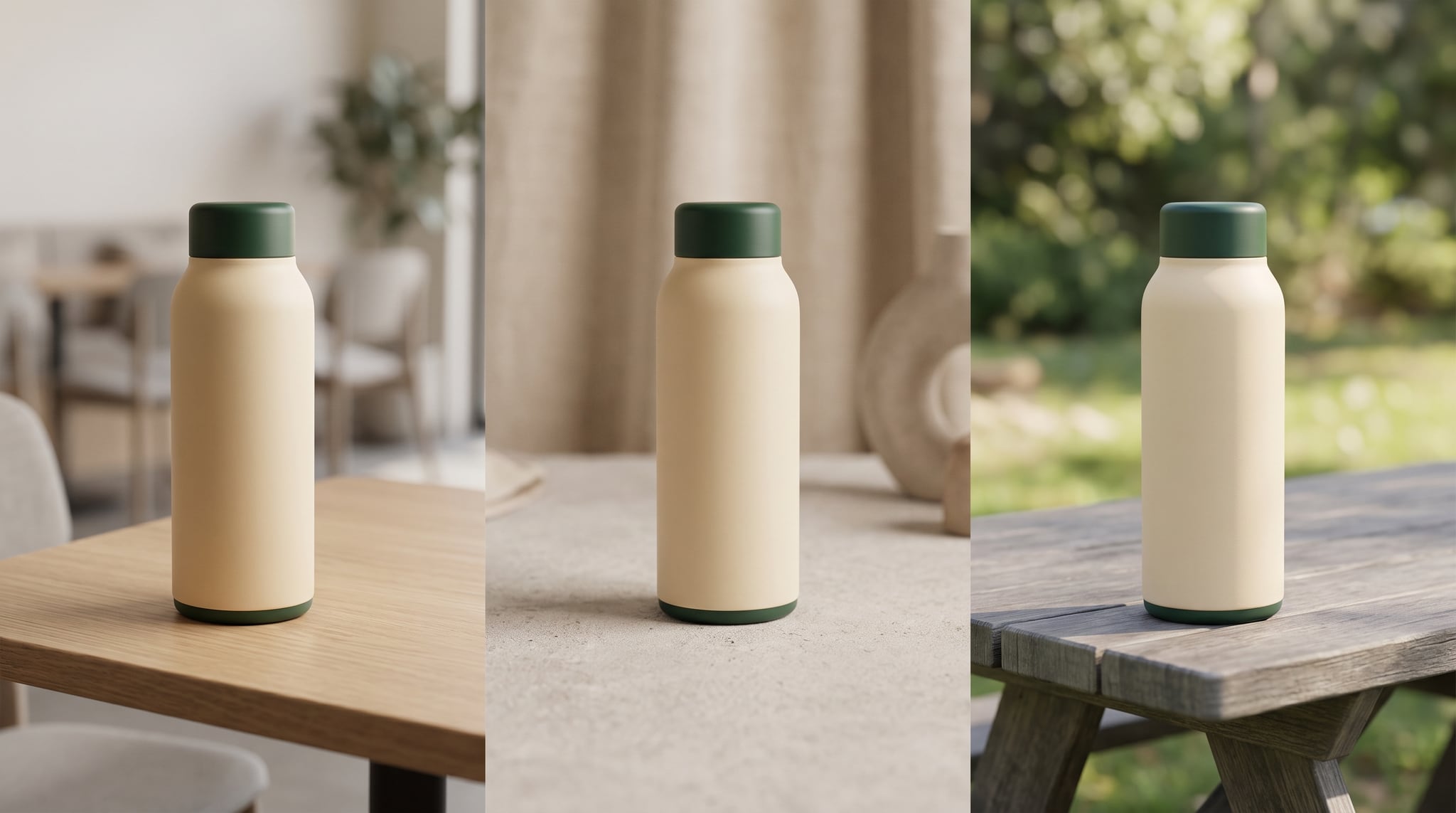

Subscribe to our newsletter
Be the first to hear about new techniques, model updates and ideas on AI generation.