
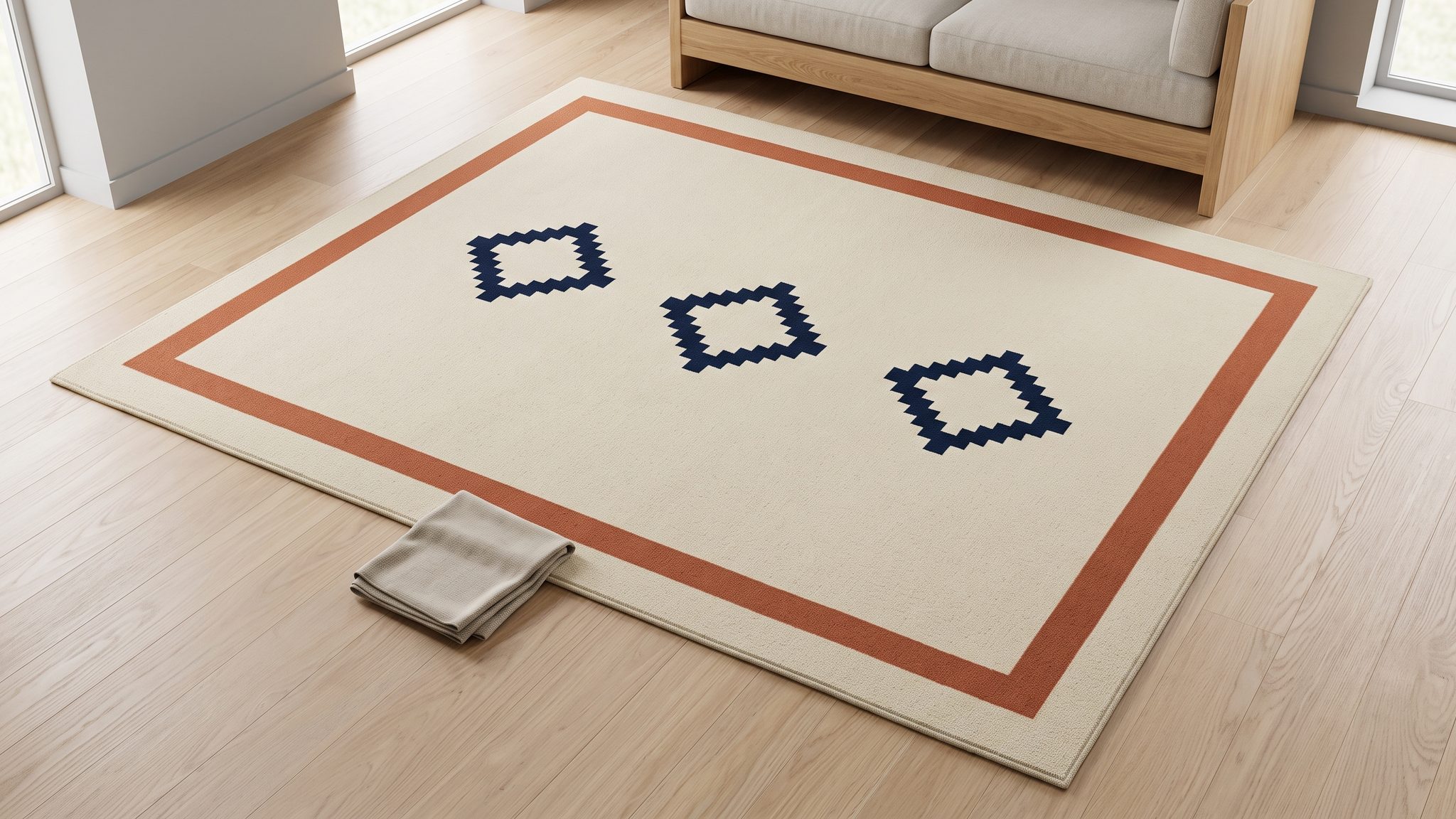
AI rug room mockups can place a rug convincingly beneath a sofa while quietly changing the design someone will receive. The footprint looks reasonable, yet two medallions have become three, a border has widened, or the runner has inherited the layout of a large rectangle. A room that looks right can still show the wrong size variant.
Start with the pattern layout for the exact size being sold. Keep that evidence separate from the room styling, and check the finished image against it before assigning the image to a product option.
This guide focuses on size-specific rug designs. Our AI product photography guide covers the broader workflow.
The cover is an AI-generated editorial illustration of a fictional cream rug with a terracotta border and three navy motifs. It is separate from the hypothetical product example below and does not demonstrate a tested workflow or real product.
Four rug details that resizing can confuse
Treat these as separate questions:
- Footprint: How much floor does the rug occupy relative to the furniture?
- Motif count and arrangement: How many identifiable design units appear, and how are they organized?
- Relative motif scale: How large is each medallion, stripe, or geometric unit within that rug's field?
- Border treatment: How do the borders, corners, and spaces between the pattern and edge behave?
Enlarging the rug within a room image changes its apparent footprint. It does not establish that the enlarged design matches another manufactured size.
There is no universal rule that larger rugs contain more repeats. The DUO Rug technical sheet says design size and proportions may vary with the chosen dimensions, while explicitly specifying six repetitions of its illustrated matrix on each rug. It also describes an approval simulation available on request. That is evidence about this product, not a rule for other collections.
A different example appears on page two of Room & Board's Kayseri sheet, dated September 19, 2011: it illustrates how pattern repeats vary with selected size and shape. Use that document as a historical illustration of the design issue, not current purchasing information.
Together, these examples suggest a practical question for your supplier: what changes in this design when the selected dimensions change? The answer might involve repetition, proportions, border geometry, or several of them.
Keep physical placement separate. Our product scale and size accuracy guide explains why an attractive room image cannot certify actual dimensions or fit.
Make a pattern record for each size SKU
Create one short record per size, shape, and color combination. A collection name alone is insufficient when the same family includes rectangles, runners, and rounds.
Include:
- Identity: SKU, named design, colorway, shape, dimensions, and current product revision.
- Layout source: a complete photograph of that size or a manufacturer-approved drawing explicitly tied to it.
- Pattern landmarks: countable motifs, row and column arrangement, and distinctive partial motifs at the edges.
- Borders and ends: border bands, corner construction, fringe locations, and whether the stated dimensions include fringe.
- Orientation: a named top end, long-axis direction, and any asymmetry that would reveal a mirrored image.
- Uncertainty: missing areas, conflicting references, and the person who can resolve them.
Define what you are counting. “Four motifs” is ambiguous if the design contains four large medallions surrounded by smaller flowers. “Four large oval medallions in two rows of two; small border flowers excluded” gives a reviewer a repeatable check.
A near-overhead, full-rug photograph is useful for reading the layout. Keep all edges visible and avoid furniture covering the center. Pair it with close-ups for pile, binding, fringe, and other details that the full view cannot resolve.
A drawing can establish an approved pattern arrangement without proving how the finished yarn, pile, or color photographs. Label each source's role. If a drawing and a current product photo disagree, ask which governs the product being sold before producing a sales image.
Keep the untouched source. A generated room scene, even an approved one, should not become the evidence for the next size.
Choose the production route from the available evidence
You have a complete source for the exact size
A reference-based edit is a reasonable candidate when you want to explore room styling and can inspect the result. Select a composition that exposes enough of the rug to judge its design. Start with an open floor area rather than a coffee table covering every distinguishing motif.
You can explore room-image directions in Oxava. Where your selected model supports image references, provide the approved rug image and identify it as the product source. Reference support does not guarantee that every repeat or border remains unchanged.
Review the first useful candidate before requesting more room variations. If its layout has changed, decide whether the problem is a correctable scene choice or whether a different production route would provide better control.
You need to retain the photographed design
Consider an external compositing workflow when the source rug itself must remain the basis of the visible pattern. Keep the rug asset separate from the room, align it with the floor perspective, and handle furniture overlap and contact shadows independently where possible.
Adobe's Vanishing Point documentation describes defining perspective planes so edits follow the geometry of a pictured surface. This supports perspective-aware editing in Photoshop. It does not establish a rug's real-world size or automatically verify its pattern.
Use one complete, correct-size rug asset. Do not stretch only its center to fill a room or clone additional motifs to make the rectangle longer. Such changes can create a new design even when the original pixels remain recognizable.
This is an external editing approach, not a claim that Oxava includes a layered rug-compositing tool. The final composite still needs checks for layout, placement, edges, and misleading shadows.
You have only a swatch or another size
Pause the factual room mockup. A swatch can document the photographed material or a small design fragment; it cannot reveal how the full rug terminates at its corners. Another size may have the same arrangement, but that requires confirmation.
Ask for a size-specific photograph, production drawing, or approved layout. If none exists, keep any generated interpretation clearly identified as a design concept and out of the gallery used to represent that sellable SKU.
Do not fill the evidence gap by asking AI to “extend the pattern naturally.” Natural-looking continuation can still be commercially inaccurate.
The image must document the actual piece
Use real capture when a customer's decision depends on the precise handmade irregularities, wear, repairs, or placement in a real installation. Photograph the relevant piece and view. A general room concept cannot establish those facts.
For broader decisions about photography, reference editing, and spatial assets, see our furniture image production guide.
A hypothetical two-size rug example
Imagine a fictional collection called Olive Court. Every specification in this example is invented for explanation. These are not measured products, recommended manufacturing ratios, or results from an Oxava test.
Its hypothetical approved source records say:
- OC-160: 160 × 230 cm rectangle; two olive oval medallions arranged in a single lengthwise column; pale sand field; dark brown double-line border.
- OC-240: 240 × 340 cm rectangle; four olive oval medallions arranged in two rows of two; the same named field and border colors.
The two-versus-four arrangement comes from these invented design records. It is not calculated from the dimensions. Another collection with those dimensions could use entirely different layouts.
Prepare the smaller size's brief
Choose the OC-160 source and a room direction that leaves both medallions visible. State that the room may change while the rug's identity must remain consistent.
An untested prompt starting point:
Use the attached OC-160 rug photograph as the product reference. Create a quiet reading-room scene with a chair beside the rug rather than covering it. Preserve the two olive oval medallions in one lengthwise column, their shapes and spacing, the pale sand field, the double-line border, and the edge details shown in the reference. Keep all four rug corners visible. Use a moderately elevated camera and soft daylight. Do not mirror the rug, add motifs, crop its ends, or replace its design with a similar pattern.
The prompt makes the review targets explicit. It does not prove that a generated result meets them.
Build the larger size from its own source
For OC-240, replace the reference and the layout description together. Specify its four-medallion, two-by-two arrangement. Reuse the room direction only if it remains suitable for inspecting this size.
Do not enlarge the approved OC-160 scene and rename it OC-240. That would retain the smaller size's two-medallion layout, regardless of how convincing the new footprint looked.
Likewise, do not add two ovals to the smaller rug image and assume the larger design is complete. Border corners, motif spacing, and negative space must all come from the larger size's source.
Review the pattern before approving the room
Put the candidate beside the exact-size reference. Review at a size where you can distinguish motif edges, then check the intended storefront crop.
Use this sequence:
- Count the named landmarks. Match complete and partial motifs separately. Count only what is visible; a chair hiding the center leaves a visibility gap.
- Follow their order. Check rows, columns, alternating elements, and their relationship to the ends. The correct count can still have the wrong arrangement.
- Inspect motif shapes and spacing. Look for a widened medallion, merged neighboring elements, or a large empty patch absent from the source.
- Trace the border. Follow each band through the corners. Check whether lines merge, disappear, or change their relationship to the main pattern.
- Check direction and edges. Confirm the named top end, asymmetry, fringe placement, and that the rug has not been mirrored.
- Review room integration. Inspect furniture overlap, floor contact, lighting, and whether the crop or shadow conceals a discrepancy.
Perspective matters during this review. A distant motif may legitimately appear smaller than a foreground motif. Do not compare raw pixel widths between an overhead reference and an oblique room image as though they were measured on the same plane.
For layout inspection, favor a clearer viewpoint or compare the design in a controlled external editing view. This is a visual review, not a physical measurement procedure.
Correct the failure you actually found
- Missing or invented motif: return to the correct-size source; revise the candidate or switch to controlled compositing.
- Correct count, wrong arrangement: reject the layout and restate the source's rows, columns, and orientation.
- Border altered: inspect the original edge treatment; repair from supported source material or replace the candidate.
- Key details hidden: change the camera or furniture placement. Do not mark an unseen area as verified.
- Wrong size source: restart from the right reference. More detailed prompting cannot validate the wrong asset.
After a correction, repeat the whole pattern check. Fixing one medallion may leave another changed. Keep a short rejection note so the next reviewer understands what required attention.
Build a gallery that identifies the selected size
Give each size a clear product-identification image before relying on lifestyle imagery. A useful gallery plan is:
- A full-rug view showing that size's complete arrangement.
- A reviewed room view for styling context.
- A real detail photograph when material, border construction, or fringe needs explanation.
Reuse a detail photograph across sizes only when it genuinely represents both products. A corner image can be size-specific even when the yarn and colorway are shared.
Label size-specific images in the asset record and, where useful, in visible gallery captions. Write descriptive alt text for what the image actually shows. Neither a filename nor alt text will fix an incorrect storefront assignment.
Select each size on the customer-facing page and inspect the images that remain visible. If the gallery is shared across variants, make the pictured size clear instead of allowing shoppers to assume every room image represents their selection.
Keep verified dimensions in the product information. Label conceptual room views appropriately, and do not let an AI-origin disclosure excuse a pattern that misrepresents the selected product. Our SKU catalog quality-control guide covers the broader source-to-gallery approval record.
Frequently Asked Questions
Can I use one rug photo for every size?
Only if reliable product evidence confirms that the relevant design relationships are shared, and the resulting images accurately represent each option. Do not assume that a collection name guarantees an identical layout. Obtain a source for each size when the arrangement differs or remains uncertain.
Can AI create a complete rug from a fabric swatch?
It can propose a visual interpretation, but a swatch does not establish the full border, motif count, or corner arrangement. Use that output for clearly labeled concept development. Obtain a complete approved source before representing an existing product.
Why does my rug look correct but have the wrong pattern?
Room placement and pattern identity are separate checks. A convincing floor perspective can coexist with extra motifs, changed spacing, or a mirrored border. Compare the candidate with the exact size's layout rather than judging the overall mood alone.
Does compositing guarantee accurate rug dimensions?
No. Compositing offers control over the source design and its placement, but physical scale still needs appropriate supporting information. A perspective-correct image can be positioned at the wrong size, so keep verified measurements separate from styling imagery.
Start with the size, then create the setting
Reliable AI rug room mockups begin with the chosen SKU's design: its motifs, spacing, borders, and orientation. Establish those facts first, choose a production route your sources support, and inspect the exact gallery assignment before publishing.
Open Oxava to explore a room-image direction with one approved rug reference where the selected model supports it. Treat the result as a candidate, keep the size-specific source beside it, and use external compositing or real photography whenever the brief needs tighter control.
Oxava Team
Egemen Küpçü is the founder of Oxava, with 10+ years of hands-on experience in 3D and visual production. He writes about the craft of generating product, brand and campaign visuals with AI.
Related Articles
ALL POSTS
Subscribe to our newsletter
Be the first to hear about new techniques, model updates and ideas on AI generation.